

I have been receiving several requests to create a structured learning path that can guide both beginners and experienced teams in Business Application ERP consulting. The idea is to provide a framework where learners can advance based on their expertise level whether they are starting out or already working with Business Central, Dynamics NAV, or Navision.
This learning path will be especially useful for those who want to deepen their knowledge, explore advanced functionalities in the latest versions, and gain more confidence as Technical or Functional Consultants.
Old Version
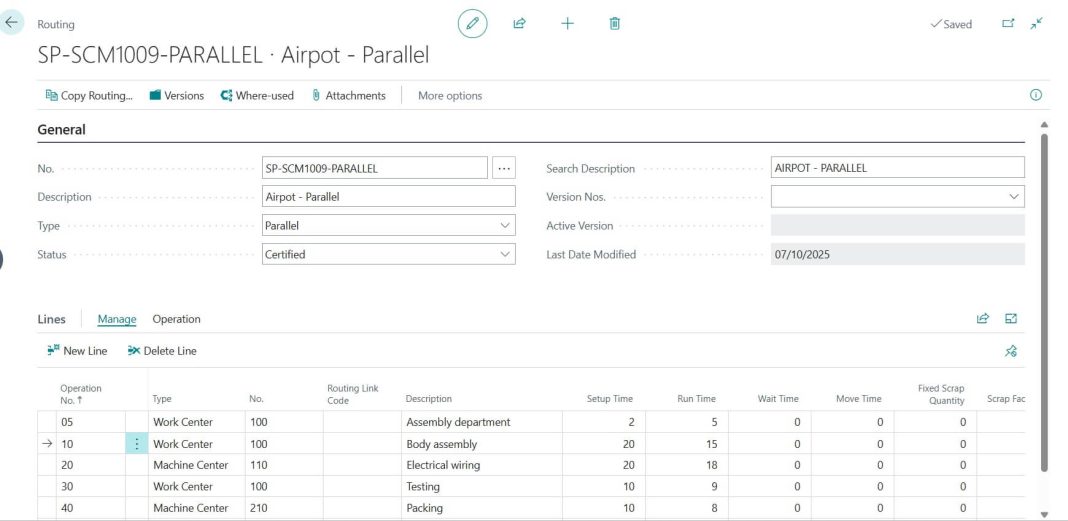
Business Central Version Dashboard

Business Central Dashboard Sample
In this post, I aim to share as much knowledge as possible with the community. Preparing this content takes considerable time and effort, so I kindly ask you to subscribe to my blog and stay connected on this learning journey.
Table of Contents
How to Use This Topics Index:
- Beginners/Newbies: Go through the posts one by one for a step-by-step learning experience.
- Experienced Users/Consultants: Jump directly to the chapters relevant to your expertise and explore deeper.
- Looking for More? If you’d like me to cover additional topics, just leave a comment with your request I’ll try to add it at the earliest.
Unit 1 : Exploring Microsoft Dynamics NAV / Business Central – An Introduction
- NAVISION / Dynamics NAV / Business Central HISTORY
- What is the Microsoft Dynamics NAV ERP software system?
- Download Business Central Software
- Business Central / Dynamics NAV ( Navision ) Modules
Unit 2 : Learn Business Central Finance
- Finance Module Overview
- Business Central Chart of Accounts Setup – Step by Step Guide
- Dimensions in Business Central – Simple Guide with Examples
- How to Post General Journal Entries in BC
- Fiscal Year Closing in Business Central Explained
- Bank Account Reconciliation In Business Central
- GST Setup in Dynamics NAV / Business Central
- Cash Flow Forecasting in Business Central
- Alternative Posting Groups for Employees in Business Central
- How to Automate Bulk Fixed Asset Creation in Business Central
Unit 3 : Sales Module Business Central Quick Help
- Sales Quote, Order, and Invoice – Full Process in Business Central
- How to Setup Customer Posting Groups in Business Central
- Price List and Discount Setup Explained in Business Central
- Credit Limit and Customer Blocking in Business Central
- How to Post a Sales Return Order in Business Central
Unit 4 : Learn BC Purchase Process
- Vendor Creation and Posting Group Setup in Business Central
- Vendor Prepayments in Business Central
- Blanket PO vs Regular PO in Business Central
- How to Create Bulk Fixed Asset Cards while PO Receiving in Business Central
Unit 5 : Inventory & Warehouse Module
- Physical Inventory Count in Business Central
- Item Journal vs Physical inventory Journal
- Physical Inventory Journals vs Warehouse Physical Inventory Journal
- Cycle Counting Process in Business Central Warehouse
- Item Reordering Policies in BC – Fixed, Lot for Lot, Max Qty
Unit 6 : Manufacturing Module
- MRP vs MPS – What is the Difference in Business Central ?
- SUBCONTRACTING IN NAVISION
- Stock Keeping Unit ( SKU ) in Dynamics NAV or Business Central
- Exchange Production BOM
- Unit Cost Calculation In Navision
- Substitute Item in Production Order
- Item Substitution In Navision
- Routing Links
- Production Order
- FG(Finished Goods) Item Tracking In Microsoft Dynamics NAV(Navision)
- Concepts And Functionalities Of Production BOM In Navision
- Change Production BOM lines And Creating New Version Of BOM
- Set up a Work Center – Setup
- Create a Work Center Calendar – Setup
- Create a Routing – Setup Guide
To be continued…
Common Topics
Keyboard Shortcut Keys in Business Central – Easy Guide
About the Author
I am Jubel Thomas Joy, with over 19 years of experience in Dynamics NAV, Business Central, and LS Retail.
Certifications:
- Certified Consultant in both Dynamics NAV and Business Central
- Microsoft Certified: Dynamics 365 Business Central Functional Consultant Associate
- Microsoft Certified Business Management Solutions Professional – Application for Dynamics NAV
My journey began with Microsoft Business Solution Navision 4.0. By God’s grace, I have had the privilege of working across every release of Microsoft Dynamics Applications since then, including:
- Microsoft Business Solution Navision 5.0
- Navision 2009
- Dynamics NAV 2013 & NAV 2013 R2
- Dynamics NAV 2015, 2016, 2017, 2018
- Business Central Editions: 14, 15, 16, 17, 18, 19, 20, 21, 22, 23, 24, 25, and the latest Version 26
I also welcome your comments and suggestions if I’ve missed any topics, let me know, and I’ll do my best to include them. Together, we can continue to grow and contribute within the Microsoft Dynamics 365 community.
A heartfelt thanks to all my friends and readers who have encouraged me to keep blogging. Please share this blog with anyone who wants to learn more about Business Central, Dynamics NAV, or Navision. Your support truly makes a difference.