

Quick Answer
To choose the right ERP system, follow six steps: identify your pain points and requirements, involve people from every department, set a realistic total budget, shortlist 2 or 3 systems that fit your industry, run demos using your own real scenarios, and evaluate the implementation partner as carefully as the software. The right ERP is the one that handles your processes without workarounds today and still fits your business three years from now.
Choosing an ERP system is one of the biggest technology decisions your business will make. Get it right, and every department works from one accurate picture of the business. Get it wrong, and you inherit years of workarounds, frustrated staff, and costs you didn’t plan for.
The good news: businesses that choose well tend to follow the same basic process. After 18 years of implementations, we’ve seen what separates the happy outcomes from the painful ones, and it usually comes down to the steps below. This guide walks you through them in plain English, including honest guidance on costs, cloud versus on-premise, and the questions vendors hope you won’t ask.
Table of Contents
First, Do You Actually Need an ERP?
Before comparing systems, confirm you need one. The classic warning signs that you’ve outgrown basic accounting software and spreadsheets are easy to spot:
- Staff spend hours on manual data entry, or enter the same data twice in different systems.
- Departments keep separate spreadsheets that don’t agree with each other.
- Simple questions like “what’s our true stock position?” take days to answer.
- Month-end close keeps getting longer.
- Your current software says “no” more often: user limits, report limits, data limits.
If two or three of these sound familiar, an ERP is worth serious consideration. It brings finance, inventory, sales, purchasing, and operations into one system with one version of the truth. Now let’s choose the right one.
Step 1: Start With Your Pain Points, Not Product Features
The most common mistake is starting with vendor websites. Feature lists all look impressive, and every product claims to do everything. Instead, start inside your own business. Write down where teams lose time, where work gets duplicated, where data is unreliable, and where reporting is painful. Then map your core processes end to end: how a sale flows from quote to cash, how purchasing works, how stock moves.
Be granular. “We need customer records” is not a requirement; every system has that. “We need to tag customers by market segment and report revenue by segment” is a real requirement that will actually separate one system from another. Small, specific details like this make or break usability later, so capture them early.
Step 2: Involve Every Department Early
An ERP touches everyone, so the selection team should too. Bring in strong voices from finance, sales, inventory or warehouse, and operations. A team of five to eight people from different functions works well. They know the real pain points, they’ll spot requirements leadership would miss, and involving them early builds the buy-in you’ll badly need at go-live.
💼 From 18 Years in the Field
Every failed ERP project I’ve seen shared one trait: the people who use the system daily were not consulted until it was too late. The warehouse team finds out at training that the new process takes twice the clicks. Involve end users in the demos, not just managers. Their ten minutes of feedback before you buy saves months of resistance after.
Step 3: Budget for the Total Cost, Not the License Price
License price is only part of the story. To compare systems fairly, calculate the total cost of ownership over roughly five years, including:
- Licenses or subscriptions (per user, per month is the common cloud model)
- Implementation (setup, data migration, configuration; often the largest one-time cost)
- Training for your team
- Ongoing support and any annual maintenance
- Integrations and add-ons you’ll need alongside the core system
A system that looks cheap on license price can become expensive once you add the third-party tools it needs, and a pricier system can be better value if it covers more natively. Compare against the whole problem, not the sticker.
Step 4: Decide Cloud or On-Premise
This choice shapes cost, maintenance, and flexibility, so settle it early.
| Model | In Short |
|---|---|
| Cloud (SaaS) | Lower upfront cost, fast deployment, automatic updates, access anywhere. Now the standard choice for most small and mid-sized businesses. |
| On-premise | Full control over data and infrastructure, but you buy and maintain the servers and run your own upgrades. Suits specific compliance or connectivity needs. |
The industry direction is clear: the large majority of businesses now choose cloud ERP, because it removes infrastructure cost and the painful big-bang upgrades of the past. Unless you have a specific reason for on-premise, cloud is usually the safer default today.
Step 5: Shortlist 2 or 3 Systems and Demo With Your Own Scenarios
Resist the urge to evaluate ten products. Use your requirements to shortlist two or three that fit your industry and size, then go deep on those. Ask peers in your industry what they use. Check review sites. Then schedule demos, and here’s the part most buyers miss: give the vendor a demo script based on your real business. Ask them to process one of your actual orders, handle your trickiest pricing case, and produce the report your CFO asks for monthly.
A generic demo always looks smooth; it was rehearsed. Your scenarios reveal the truth. During the demo, watch for ease of use above all: how many clicks do daily tasks take? If fifteen people will live in those screens every day, an extra three clicks per order is a real cost.
Step 6: Evaluate the Partner as Hard as the Product
Here’s the truth vendors rarely lead with: most ERP disappointments are implementation failures, not software failures. The same product can succeed or fail depending on who implements it. So when you evaluate, judge the implementation partner as carefully as the system. Ask:
- How many businesses like ours (size and industry) have you implemented?
- Can we speak to two or three reference customers?
- Who exactly will work on our project, and what’s their experience?
- What does your support look like after go-live, not just before the sale?
- What’s a realistic timeline and what could delay it?
A partner who understands your industry, tells you honestly what the system won’t do, and pushes back on bad ideas is worth more than the cheapest quote.
Where Does Business Central Fit In?
We’re Business Central consultants, so let’s be transparent about where it belongs in this decision, including when it’s not the right pick.
Microsoft Dynamics 365 Business Central is a cloud ERP aimed at small and mid-sized businesses, and it’s one of the most widely adopted systems in that space. Its strong points in a selection process are worth knowing:
- One system for finance and operations: accounting, inventory, purchasing, sales, projects, and (on the Premium tier) manufacturing and service, without stitching tools together.
- The Microsoft ecosystem: deep, native integration with Outlook, Excel, Teams, and Power BI. If your team lives in Microsoft 365, the learning curve drops sharply.
- Per-user pricing with no user minimum: you can start small and scale, with a low-cost Team Member license for light users.
- Continuous updates: two release waves a year, no giant upgrade projects.
- A huge partner network: thousands of partners worldwide, so you’re never locked to one supplier for support.
- Built-in AI direction: Copilot and AI agents are being embedded into everyday workflows, which matters for where ERP is heading.
And the honest other side: if you’re a very small business with simple, single-entity bookkeeping and no inventory complexity, a full ERP like Business Central may be more than you need; good accounting software could serve you fine for now. Business Central earns its place when operations get complex: multiple locations, real inventory, manufacturing, several entities, or growth that keeps breaking your current tools.
📌 A fair way to test it: put Business Central on your shortlist next to one or two alternatives, and run all of them through your own demo scenarios from Step 5. If it wins on your real processes, choose it with confidence. If something else fits your industry better, choose that. The process protects you either way.
The Hidden Advantage: Business Central’s Add-On Ecosystem
Here’s a factor many buyers discover too late in other systems: what happens when the ERP doesn’t cover a specific need? With some products, the answer is expensive custom development or an awkward workaround. With Business Central, the answer is usually “there’s an app for that.”
Business Central has one of the largest add-on ecosystems in the mid-market, with thousands of ready-made apps on Microsoft AppSource built by independent software vendors (ISVs). These install into the system like apps on a phone, and they survive the twice-yearly updates because they’re built as proper extensions. For a buyer, this changes the risk calculation: you’re not betting that one product covers everything forever, you’re buying into a platform that grows with you.
A few examples show the range:
| Need | Popular Add-On Solution |
|---|---|
| Retail & hospitality (POS, stores, restaurants) | LS Central extends Business Central into a full retail platform: point of sale, store management, loyalty, e-commerce, and hospitality, all on the same database. Retail chains worldwide run on it. |
| Document capture & AP automation | Continia Document Capture and Expense Management automate invoice scanning, approval flows, and expense claims inside Business Central. |
| Advanced reporting | Jet Reports (insightsoftware) adds Excel-based financial and operational reporting on live Business Central data. |
| Warehouse & barcode scanning | Tasklet Factory and Insight Works add mobile barcode scanning and advanced warehouse operations for distribution businesses. |
| E-commerce | A native Shopify connector is built in, and connectors exist for other major platforms, keeping online orders, stock, and finances in sync. |
| Payroll, EDI, shipping, tax | Established apps cover local payroll, EDI document exchange, carrier shipping integration, and regional tax compliance for many countries. |
Why this matters in your selection: an industry-specific need that would disqualify a generic ERP often has a mature, proven add-on in the Business Central world. A retailer doesn’t have to bolt a separate POS system onto their ERP; LS Central makes the ERP itself retail-aware. A distributor gets warehouse scanning without custom code. And because these run on the Business Central platform, your finance data stays in one place instead of being scattered across disconnected tools.
💼 From 18 Years in the Field
When we run selections for retail clients, the ERP-plus-POS question usually decides everything. Running a separate POS system next to a generic ERP means integration projects, sync issues, and two support contracts. LS Central on Business Central removes that seam entirely: one database from till to balance sheet. If you’re in retail or hospitality, put that architecture question at the top of your demo script.
One honest caveat: add-ons carry their own license costs, so include the ones you’ll need in your total cost of ownership from Step 3. The advantage isn’t that everything is free; it’s that proven solutions exist, they’re supported, and they upgrade with the platform instead of breaking.
Common Mistakes to Avoid
- Choosing on price alone. The cheapest system that can’t do the job is the most expensive decision you’ll make.
- Skipping the requirements work. If you can’t say what you need, every demo will look great.
- Watching only the rehearsed demo. Always test your own scenarios.
- Ignoring the partner. Implementation quality decides success more than the logo on the software.
- Buying for today only. Ask whether the system still fits when you’re 50% bigger, in more locations, or in more entities.
- Under-budgeting change management. Training and adoption effort is real; plan for it.
Frequently Asked Questions
How long does it take to choose an ERP system?
For a small or mid-sized business, a disciplined selection typically takes 2 to 4 months: requirements gathering, shortlisting, demos, references, and decision. Rushing it is how businesses end up in the wrong system for a decade.
How much does an ERP system cost?
It varies widely with users and scope. Cloud ERP for a small business is commonly priced per user per month, plus a one-time implementation cost that often equals or exceeds the first year of subscriptions. Always calculate the five-year total cost of ownership, not the license price.
What’s the difference between ERP and accounting software?
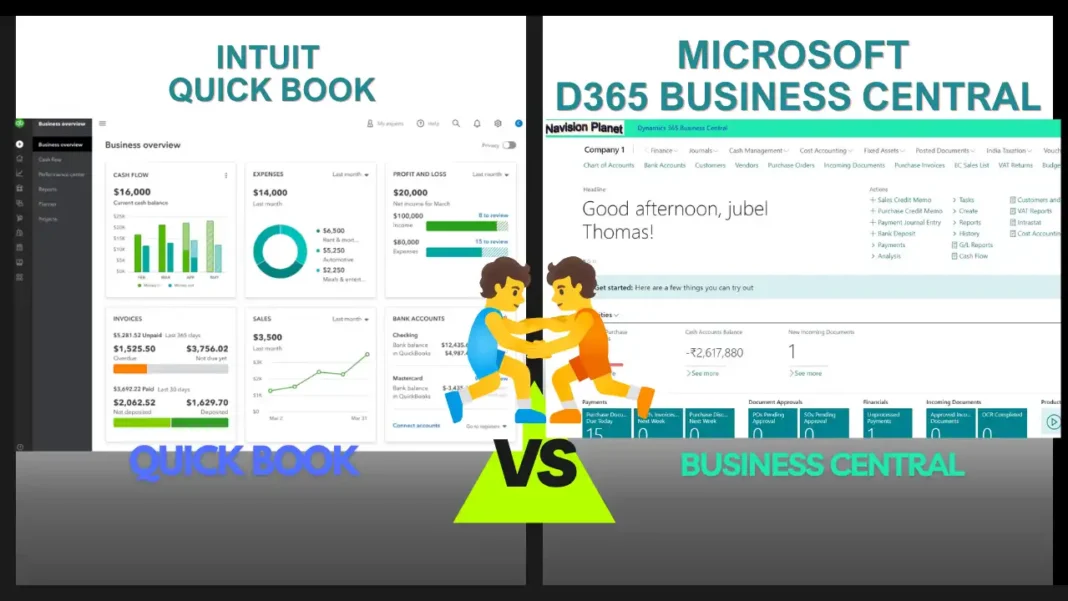
Accounting software (like QuickBooks or Xero) manages the books. An ERP includes accounting but also runs operations: inventory, purchasing, sales orders, projects, and often manufacturing, all in one connected system. See our detailed Business Central vs QuickBooks comparison.
Is cloud ERP better than on-premise?
For most small and mid-sized businesses today, yes: lower upfront cost, automatic updates, and no servers to maintain. On-premise still suits specific compliance or connectivity situations. The market has moved decisively toward cloud.
Should we use an implementation partner or go direct?
For most businesses, an experienced partner is worth it. They configure the system to your processes, migrate your data safely, and train your team. Judge the partner on relevant experience and references, not just price.
Is Business Central a good ERP for small business?
It’s one of the leading choices for small and mid-sized businesses, especially those already using Microsoft 365, with strong finance, inventory, and manufacturing capability and per-user pricing. Whether it’s right for you depends on your processes, which is exactly what the steps in this guide will reveal.
What if the ERP doesn’t cover my industry’s specific needs?
Check the add-on ecosystem before ruling a system out. Business Central, for example, has thousands of apps on Microsoft AppSource: LS Central turns it into a full retail and hospitality platform with POS, Continia automates document capture and expenses, and Tasklet or Insight Works add warehouse barcode scanning. A mature add-on is usually safer and cheaper than custom development on a generic system.
Which ERP is best for retail businesses?
For retail and hospitality, the key question is whether POS and ERP share one database. Business Central with LS Central is one of the strongest combinations here, because the point of sale, inventory, loyalty, and finance all run on the same platform, removing the integration seam between store systems and back office.
Final Thoughts
Choosing an ERP well isn’t about finding the “best” system on a review site. It’s about a disciplined process: know your pain points, involve your people, budget the true cost, shortlist by fit, demo with your own scenarios, and pick a partner you trust. Do that, and the right system, whether it’s Business Central or something else, becomes obvious rather than a gamble.
If you’d like an honest, no-pressure opinion on whether Business Central fits your requirements, that’s a conversation our team has had with businesses for 18+ years, including the times we’ve said “you don’t need it yet.”
Stay tuned to NavisionPlanet for more clear, practical guides on ERP and Business Central.