



Quick Answer
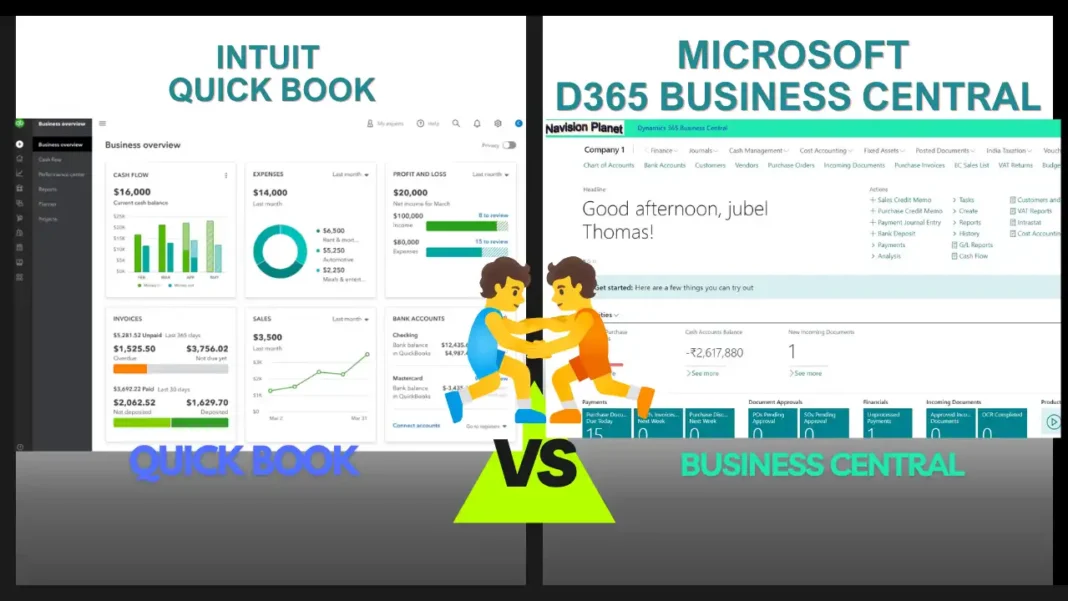
QuickBooks is accounting software: simple, affordable, and ideal for small businesses that mainly need bookkeeping, invoicing, and basic reporting. Business Central is a full ERP system that includes accounting but also handles inventory, manufacturing, projects, multi-company, and automation. The honest rule of thumb: if you need better accounting, QuickBooks may be enough. If you’ve outgrown accounting and need to run your whole business in one system, Business Central is built for that.
18+ years implementing Dynamics NAV & Business Central
“Should we stay on QuickBooks or move to Business Central?” It’s one of the most common questions growing businesses ask, and the honest answer is: it depends on where your business is heading. These two products are often compared, but they’re really built for different jobs.
This guide gives you a fair, plain-English comparison covering what each does well, where each falls short, current 2026 pricing, and clear signs it’s time to switch. We’re a Business Central consultancy, so we’ll be upfront about our background, but we’ll also be honest about where QuickBooks is the smarter choice. Let’s get into it.
Table of Contents
The Core Difference in One Line
Here’s the distinction everything else flows from: QuickBooks is accounting software. Business Central is an ERP system that includes accounting. QuickBooks does bookkeeping, invoicing, and financial reporting very well. Business Central does all of that too, but adds inventory, supply chain, manufacturing, service, and project management in one connected system. One is a tool; the other is a platform.
Side-by-Side Comparison
| Area | QuickBooks | Business Central |
|---|---|---|
| Type | Accounting software | Full ERP (accounting + operations) |
| Best for | Small businesses, simple bookkeeping | Growing / mid-sized, complex operations |
| Users | Capped by plan (roughly 1–25 online) | Per-user, no maximum; scales freely |
| Inventory | Basic; limited assemblies | Advanced, multi-location, full tracking |
| Manufacturing | Not really; needs add-ons | Built in (Premium): BOMs, production orders |
| Multi-company | Separate files, manual consolidation | Native multi-company & intercompany |
| Reporting | Good standard reports | Deep reporting + native Power BI |
| Microsoft 365 | Basic integrations | Deep Outlook, Excel, Teams integration |
| AI | Some AI assistance | Copilot & AI agents built in |
| Ease of use | Very easy, quick to start | More to learn, but familiar Office feel |
| Setup time | Days | Weeks (typically 4–12) |
Pricing in 2026 (Plain Numbers)
Pricing is where people get confused, because the two use different models. Here’s the honest picture as of 2026, but always confirm current rates, since both change.
QuickBooks is priced per company file with user limits per tier. QuickBooks Online plans rose in 2026; for example, mid-tier plans like Plus moved up to around $140/month, and Advanced to roughly $340/month, with user caps on each tier. QuickBooks Desktop Enterprise (the desktop product) runs from roughly $2,200/year for a single Gold user up to $4,000+ for Diamond, and Intuit is steadily steering customers toward the online version.
Business Central is priced per user, per month, billed annually, with no minimum or maximum number of users. There are two main licenses. Essentials (finance and operations) and Premium (adds manufacturing and service), plus a low-cost Team Members license (around $8/user/month) for light users who mostly read data and do simple entry.
Where QuickBooks Wins
Let’s be fair to QuickBooks, because for the right business it’s the better choice. It’s cheaper to start, genuinely easy to learn, and quick to set up, so you can be running in days. For a small business, a solo operator, or a company with simple, single-entity bookkeeping and no complex inventory or manufacturing, QuickBooks does the job well without the cost or learning curve of a full ERP. If your pain is purely accounting, payroll, and standard reporting, you may not need Business Central at all.
Where Business Central Wins
Business Central pulls ahead once your business gets more complex. It shines when you manage inventory across multiple locations, make or assemble products, run several companies or legal entities, need approvals and automated workflows, or want deep, real-time reporting through Power BI. Because it’s one connected system, it removes the “spreadsheet glue” and disconnected add-ons that build up around QuickBooks as a company grows. It also has a fuller audit trail, stronger multi-currency and multi-company support, and the deep Microsoft 365 integration many teams already live in.
💼 From 18 Years in the Field
In practice, most businesses don’t leave QuickBooks because they dislike it. They leave because it starts saying “no.” A report won’t slice the way the CFO needs, the item list hits a ceiling, or a sixth person can’t get into the file during month-end. When you find your team building more and more spreadsheets around the system to make it work, that’s the real signal you’ve outgrown accounting software and need an ERP.
Signs It’s Time to Switch
You don’t need every box ticked, but if two or three of these are true, it’s worth looking at Business Central seriously:
- You’re managing inventory across multiple locations and hitting limits.
- You make or assemble products and need real production orders and BOMs.
- You run multiple companies or entities and consolidation is painful.
- Your month-end close keeps getting longer, and reports don’t match across departments.
- You’re bumping into user or data limits, or relying on a pile of spreadsheets.
- You need automation and audit control that QuickBooks can’t provide natively.
Can You Migrate from QuickBooks to Business Central?
Yes, and it’s a well-trodden path. Customers, vendors, items, and transaction history can be migrated, and there are established tools and templates to move the data. A typical migration takes somewhere in the region of 4 to 12 weeks depending on the complexity of your data and workflows. The key is doing it with a plan: cleaning up data first, mapping your processes, and testing before go-live. This is exactly the kind of project where an experienced partner earns their keep.
So, Which Should You Choose?
Here’s our honest summary. If you’re a small, single-entity business with straightforward accounting needs and no plans for major growth, QuickBooks is a solid, cost-effective choice, so don’t over-buy. But if you’re growing, adding locations or entities, managing real inventory or manufacturing, or simply tired of stitching tools together, Business Central gives you room to scale without hitting walls.
The smartest way to decide is to map your core processes (quote-to-cash, purchasing, inventory, reporting) and ask which system handles them without workarounds three years from now, not just today. Choose for where your business is heading, not only where it is.
Frequently Asked Questions
Is Business Central harder to use than QuickBooks?
It has more features, so there’s more to learn. But its interface looks and feels like Microsoft Office (Outlook, Excel), so most teams find it familiar quite quickly. QuickBooks is still simpler for pure basic bookkeeping.
Is Business Central more expensive than QuickBooks?
Usually higher up front, yes. But compare total cost of ownership, not sticker price. As you grow, QuickBooks costs rise through extra company files, add-ons, and manual work, and Business Central starts winning on value because it replaces several tools at once.
Can I move my QuickBooks data to Business Central?
Yes. Vendors, customers, items, and history can be migrated using established tools. A typical project runs 4–12 weeks depending on complexity. A partner ensures your history and setup transfer correctly.
Does QuickBooks do manufacturing or advanced inventory?
Not really. It’s built for accounting. It handles basic inventory but struggles with assemblies, multi-location stock, and production. Business Central Premium includes manufacturing (BOMs, production orders, capacity) natively.
Is QuickBooks Desktop going away?
Intuit is phasing out QuickBooks Desktop and steering new customers to QuickBooks Online. If you’re on Desktop, it’s worth planning your next move, whether that’s QuickBooks Online or, if you’ve outgrown accounting software, Business Central.
Which is better for a US or UK small business?
Both work in the US and UK. QuickBooks is popular for small, simple setups. Business Central suits businesses that need to scale, handle complex tax/compliance, or run operations beyond accounting. The right choice depends on complexity and growth plans, not location.
Final Thoughts
Business Central vs QuickBooks isn’t a “which is better” contest. They’re built for different stages of a business. QuickBooks is excellent accounting software for small, simple operations. Business Central is a full ERP for companies that have outgrown accounting and need to run everything in one place. Be honest about where your business is heading, compare total cost against the problem you’re solving, and you’ll pick the right one with confidence.
If you’re weighing a move from QuickBooks to Business Central and want an honest opinion on whether it’s the right time, that’s exactly the kind of question our team has helped businesses answer for 18+ years.
Stay tuned to NavisionPlanet for more clear, practical guides on Business Central and Dynamics 365.
Note: Pricing and product features for both QuickBooks and Business Central change regularly. The figures here reflect 2026 and are for general guidance only. Always confirm current pricing on the official Intuit and Microsoft sites, or with a partner, before making a decision. QuickBooks is a trademark of Intuit Inc.; Business Central is a Microsoft product.
📖 Related guides on Navision Planet:
→ What is Business Central in Dynamics 365?
→ Business Central Available Countries List
→ How to Create and Post a Sales Order in Business Central
→ How to Post General Journal Entries in Business Central